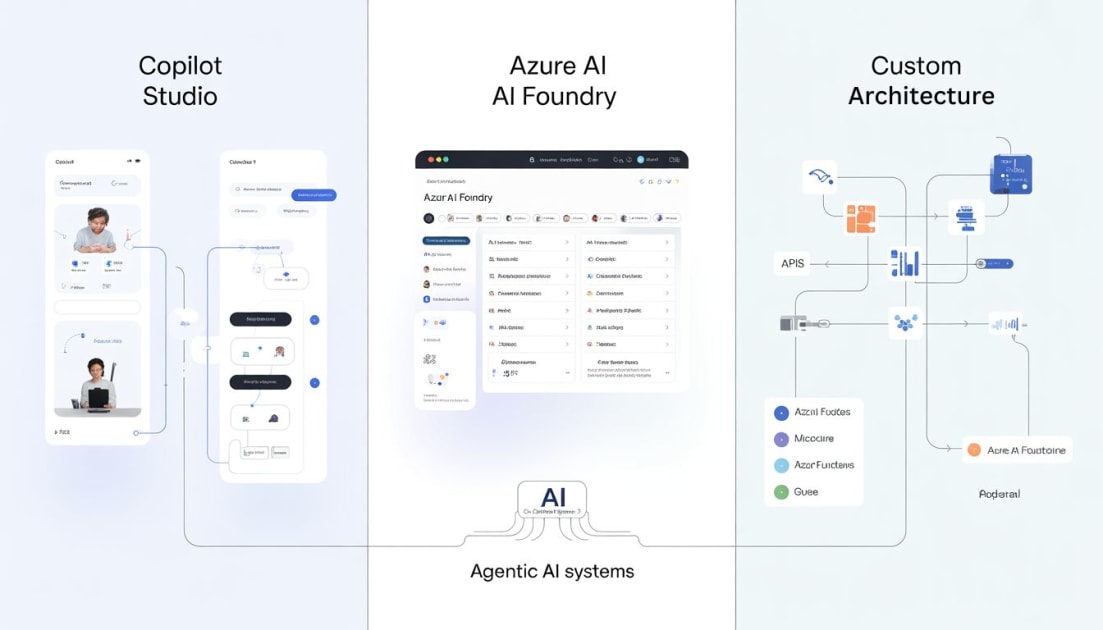
There’s a lot of noise right now around “AI agents” in the Azure ecosystem.
Between:
 - Microsoft Copilot Studio
 - Azure AI Foundry
 - Fully custom architectures
Azure AI Foundry
Azure AI foundry sits between the low-code and full custom. It is a managed studio for building evaluating and deploying LLM-powered agents without switching together infrastructure yourself. It gives you a centralized workspace where you can select models, author prompts, define tools, run evaluations, and trace agent behavior all from one interface.
WHERE IT WORKS
 - Speed to first Agent (working prototype in hours)
 - Prompt iteration
 - controlled experimentation
 - Model flexibility
 - Easy experimentation
WHERE IT FALLS SHORT
 - Not built for orchestrations
 - Not ideal for real-time systems
 - Tools extensibility ceiling (Scaling,
      reliability all require additional work
      outside foundry’s managed surface).
Use Foundry when you need to validate a hypothesis, demo something to stakeholders, or build a single-purpose agent that does one thing.
Copilot Studio; More Powerful Than Most People Think
So instead of just theorizing I got the chance to experiment by building actual agents. These agents were SaaS-focused assistants, management systems agents, and even got to integrate custom MCP, structured instructions and workflows.
And the honest truth; "They worked really well"
Copilot studio is the most under rated tool in the comparison overall. Most people think of it as a chatbot builder, a low-code alternative for non-developers who want to put in Teams.
What Copilot Studio actually offers is a production-grade orchestration platform with exceptional built-in knowledge, tools, triggers, sub agents orchestrations, MCP(s), topic workflows and one of the broadest deployment stories of any agent platform available today.
Copilot Studio is not a Microsoft-only tool. Copilot Studio agents can be deployed to your own websites via an embedded chat widget, in your whats app, telegram, slack and more..
Any platform that supports HTTP can integrate with it via API(s).
WHERE IT WORKS
 - Orchestration out of the box
 - Built-in knowledge
 - Tools calling and connectors
 - Able to deploy on different channels
 - Data Governance
 - Agent Interaction Analytics
 - Non-devs can maintain it
And now this led to a question that:
If Copilot Studio can already do all this, why would anyone build custom systems?
Most comparisons between these approaches focus on features.
That’s not the right way of thinking;
After building real agents, here’s the simplest way I think about it:
"How much control do I need versus how fast do I need to ship?"
Where it Falls Short
 - Complex logics becomes unmaintainable fast
 - Cost at scale (Its a message based pricing;
                  having different costing for different
                  tools and nodes)
 - Instructions / workflows are intent driven which makes it a probabilistic agent.
One thing that improved reliability in my case was the integration of custom MCP based tools and their results were outstanding and was deterministic.
Copilot Studio is now capable of handling complex agent workflows end-to-end.
The real difference is not capability, it’s control, guarantees, and system boundaries.
Custom Architecture — System-Driven Orchestration
Custom Azure Architecture means you own the whole stack. Azure AI Search for retrieval, cognitive services, Azure Functions or Container Apps for tools, your own orchestration layer Semantic Kernel, Azure OpenAI calls, custom chunking and vectorization pipelines, your own auth, logging and scaling decisions.
This is the most powerful and most expensive option in time, expertise and on going maintenance.
Where It Works
 - Voice Agents
 - Unlimited extensibility
 - Data control (custom chunking)
 - Longevity
 - Production Grade reliability
Where it Falls Short
 - Slower to build
 - Requires system design thinking (You own everything so the reliability,
                              scaling, security, vectorising,
                              rags, integrations..)
But again Custom Architectures don’t make them smarter agents, they make them reliable.