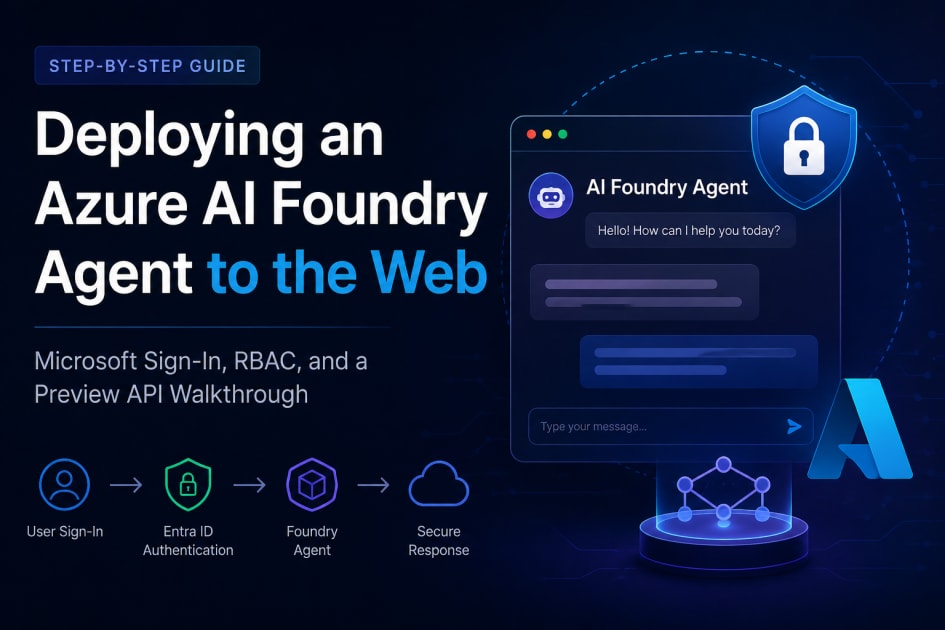
Deploying an Azure AI Foundry Agent to the Web: A Step-by-Step Guide
Recently I got the chance to take an Azure AI Foundry agent built and working fine inside the Foundry portal and expose it as a web chatbot, gated behind Microsoft sign-in, deployed on Vercel. It sounded straightforward. It wasn't between two separate Azure permission systems and a fast-moving preview API, it took a few rounds of trial and error. This is the guide I wish I'd had going in.
What we're building
- A Next.js chat bot app, deployable
- Users sign in with their Microsoft work account before they can chat
- Signed-in users' messages go to a Foundry Agent on the backend
- The backend authenticates to Foundry as a service principal, a different flow from user sign-in, but the same app registration
The high-level flow
User → Microsoft sign-in (Entra ID) → App session created
↓
Chat message sent
↓
Backend authenticates as itself (service principal)
↓
Azure RBAC check on the Foundry project
↓
Foundry Agent responds
Two separate Azure systems are involved, and conflating them is the easiest way to lose an afternoon:
- Entra ID (authentication) — proves who is logging in
- Azure RBAC / IAM (authorization) — decides what an already-authenticated identity is allowed to do to a specific resource
Part 1 — Create the App Registration
Microsoft Entra ID → App registrations → New registration.
Under Authentication → Add a platform → Web, add:
http://localhost:3000/api/auth/callback/azure-ad
(add the production URL later, see Part 5)
Under Certificates & secrets, create a client secret — copy the value immediately, it's shown once
From the Overview page, note the Application (client) ID, Directory (tenant) ID, and the client secret value.
Common errors here:
- AADSTS90112: Application identifier is expected to be a GUID — wrong value pasted into the client ID field (Entra ID shows several similarly-shaped GUIDs on one page)
- AADSTS500113: No reply address is registered — the redirect URI is missing, or doesn't match exactly (scheme, port, and path all matter)
Part 2 — Assign RBAC roles on the Foundry project
A valid app registration proves identity — it grants zero access to any specific resource by itself. That's a separate step, on a separate screen.
- Open the Foundry project → Access control (IAM) → + Add → Add role assignment
- Search for a role scoped to what the app actually needs (check current docs for exact names — Microsoft has recently renamed and split these into narrower roles)
- Assign access to → User, group, or service principal, search for the app registration by name or client ID
- Review + assign
What actually worked, in my case, was roles at both scopes:
- On the project — Foundry User, assigned to the application (the service principal, not a personal account)
- On the parent resource — Cognitive Services User, same principal
A role at the project level alone wasn't enough. If you can see the parent resource but not the project, or vice versa, that's a sign a role needs assigning at the other scope too don't assume one assignment covers both.
Also: give it a few minutes. A role that looks correctly assigned can still 401/403 for a short while after propagation delay, not misconfiguration.
Part 3 — Environment variables
One app registration, two purposes:
Dotenv
Interactive user sign-in (NextAuth / Entra ID)
- AZURE_AD_TENANT_ID=
- AZURE_AD_CLIENT_ID=
- AZURE_AD_CLIENT_SECRET=

NextAuth session security
- NEXTAUTH_SECRET=       # generate with: openssl rand -base64 32
- NEXTAUTH_URL=           # http://localhost:3000 locally

Optional allow-list
- ALLOWED_USERS=

Backend calls to Foundry (same app, different flow)
- AZURE_FOUNDRY_PROJECT_ENDPOINT=
- AZURE_FOUNDRY_AGENT_NAME=
- AZURE_FOUNDRY_AGENT_VERSION=
The same client ID/secret pair authenticates the app two different ways: once as a delegated login (human present, redirected through Microsoft), once as a client-credentials service call (no human present, server proves its own identity). Genuinely different OAuth flows sharing one identity — not a shortcut.
Part 4 — Wire up the code
Three moving pieces: an auth config (Microsoft sign-in provider, optional email allow-list), a protected API route (401s without a valid session), and a Foundry client module (authenticates as the service principal, calls the agent).
The Foundry-calling code is the part most likely to drift, since the underlying API is still in preview. The official sample I started from:
typescript
const response = await openAIClient.responses.create(
  { conversation: conversation.id },
    {
       agent: {
         name: agentName,
         version: agentVersion,
         type: "agent_reference",
       },
     },
   },
);
...returned 400 The 'agent' property is deprecated. Use 'agent_reference' instead. The server's error named the exact fix — rename agent to a top-level agent_reference, and drop the now-redundant type field:
typescript
const response = await openAIClient.responses.create(
  { conversation: conversation.id },
    {
      body: {
        agent_reference: {
          name: agentName,
          version: agentVersion,
        },
      },
    },
 );
If you hit something like this, it's not a sign of a broken setup — read what the error asks for. Preview APIs move fast; treat even official samples as a starting point, not a fixed contract.
Part 5 — Deploy and finish the redirect URI
Once deployed, add a second redirect URI on the app registration:
https://<your-production-domain>/api/auth/callback/azure-ad
and set NEXTAUTH_URL in your host's env vars to that same URL.
From here, anyone in the tenant who opens the link sees a plain "Sign in with Microsoft" button, no custom login form. That's intentional: the app never sees anyone's actual password. Microsoft's login page handles credentials, MFA, and conditional access on its own infrastructure; your app just gets a token back confirming who signed in.
Lessons, in short
- Authentication and authorization are separate systems. Entra ID permissions get you through the door; RBAC on the resource decides what you can do once inside. Configure both.
- RBAC role names have been changing — don't trust an older tutorial's exact role name.
- Scope (resource vs. project) matters, and often isn't obvious from the error alone — you may need roles at both.
- Preview APIs change shape under you. Read the error text closely.
- Give role assignments a few minutes to propagate before assuming something's broken.
Hopefully this saves someone else the afternoon it cost me.