Stop Uploading PDFs Directly to AI Foundry
Most teams build an AI assistant by uploading a folder of PDFs into AI Foundry and expect the LLM to answer every question accurately.
It works for a demo.
But as your knowledge base grows, you'll start seeing irrelevant answers, missing information, slower retrieval, and higher costs.
The problem usually isn't the LLM or the agent itself.
It's the way your knowledge is indexed.
So beginners tend to directly upload data files as knowledge sources not realizing its cons for the agent’s response to that.
Not that they're bad, but because then you have less control. Direct uploads are excellent for prototypes and small knowledge bases.
Once you're building production AI assistants, controlling your indexing pipeline becomes much more important.
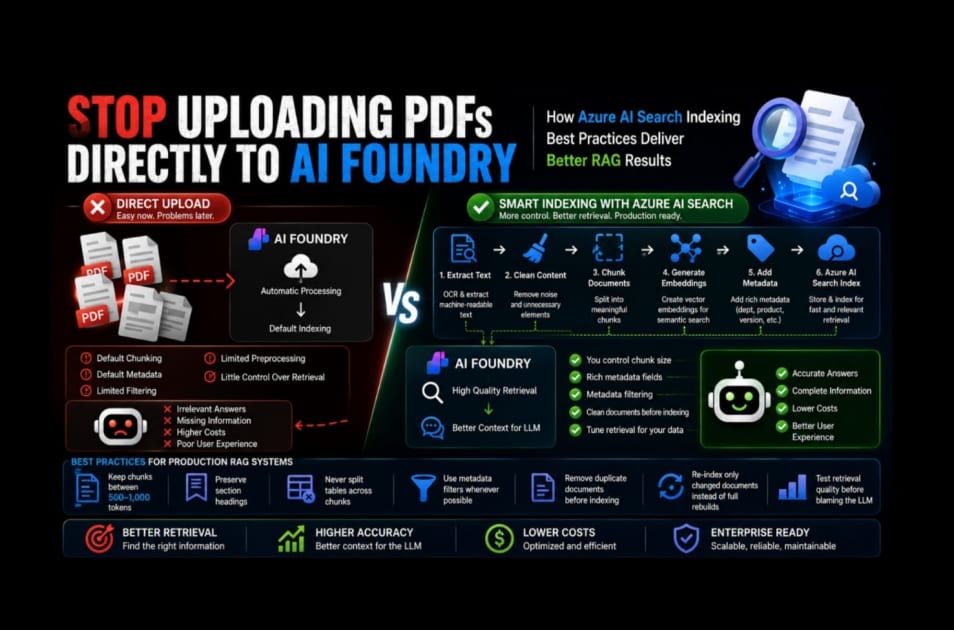
The comparison between direct upload and Custom Azure AI Search
Direct uploading:
- Default Chunking
- Default metadata
- Limited filtering
- Limited preprocessing
- Little control over retrieval
Custom Azure AI Search Index
- You control chunk size
- Rich metadata fields
- Filter by department, category, product, region
- Clean documents before indexing
- Tune retrieval for your data
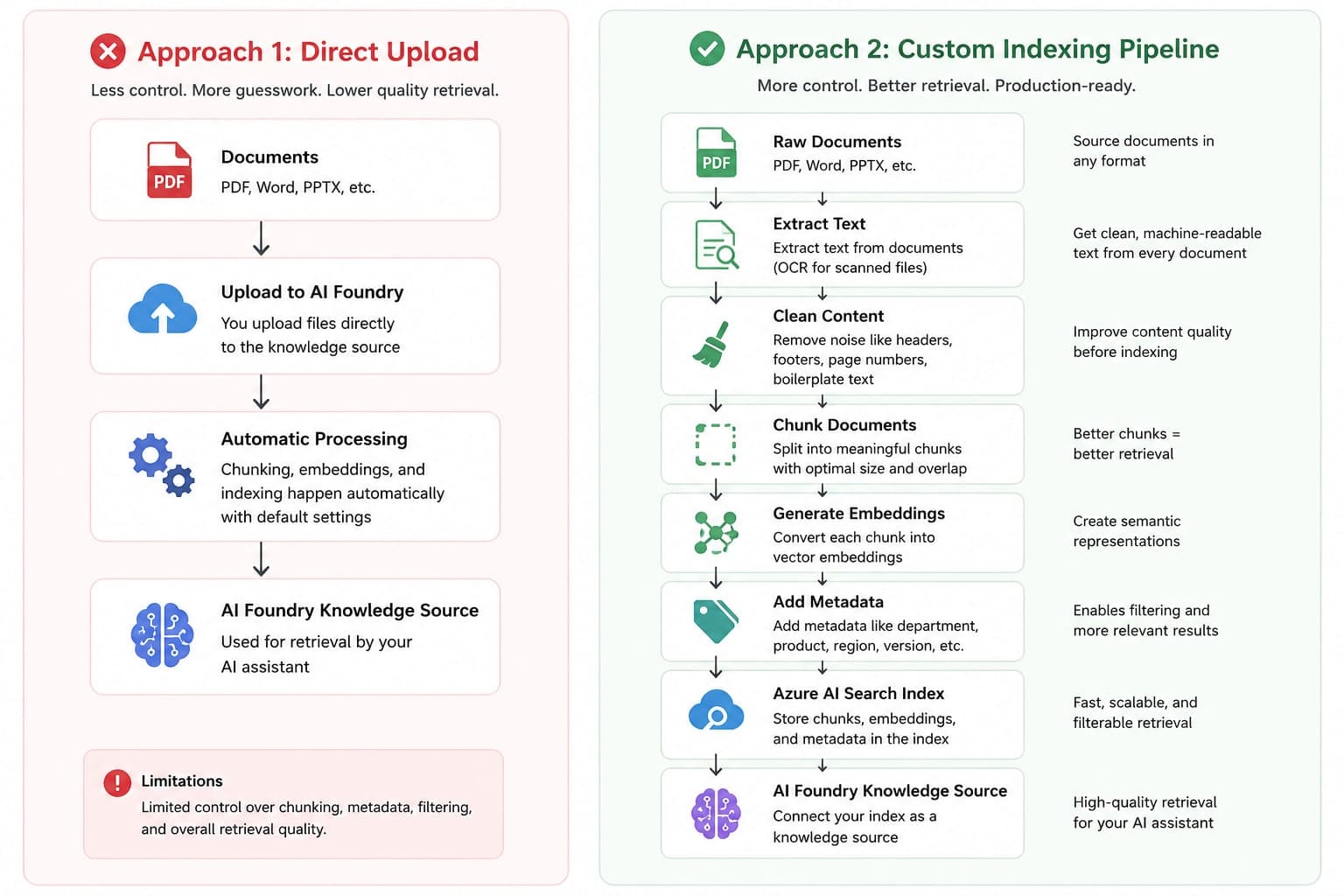
Extract Text
Ensure documents are machine-readable. OCR scanned PDFs before indexing.
Clean Content
Remove page numbers, repeated headers, footers, and boilerplate text.
Chunk Documents
Split content into meaningful sections rather than arbitrary page boundaries.
Generate Embeddings
Convert each chunk into vector embeddings for semantic search.
Add Metadata
Attach fields like department, product, document type, region, and version.
Azure AI Search
Store chunks, embeddings, and metadata in a searchable index that AI Foundry can query efficiently.
That alone makes the article much more valuable.
Here are a few practices I've found useful when building production RAG systems:
Keep chunks between 500–1,000 tokens depending on the document type.
Preserve section headings with each chunk.
Never split tables across chunks.
Use metadata filters whenever possible.
Remove duplicate documents before indexing.
Re-index only changed documents instead of rebuilding the entire index.
Test retrieval quality before blaming the LLM.
AI Foundry makes it incredibly easy to get started by uploading documents directly into a knowledge source, and for many projects that's exactly the right approach.
But if you're building an enterprise-grade AI assistant, investing time in your Azure AI Search indexing pipeline gives you far greater control over retrieval quality, scalability, and long-term maintainability.
In production RAG systems, the quality of your answers is rarely limited by the LLM itself. More often, it's limited by the quality of the information you retrieve. Investing in a well-designed Azure AI Search indexing pipeline gives your AI assistant the context it needs to consistently deliver accurate, relevant responses.